Shared vehicle booking: Zero conflicts, total autonomy.
Empower your team and eliminate conflicts in vehicle sharing. With a clear view of availability, bookings become automatic and secure, avoiding overlaps and facilitating internal coordination.
How does fleet vehicle booking work?
From booking request to approval, everything happens quickly and transparently.
Booking request
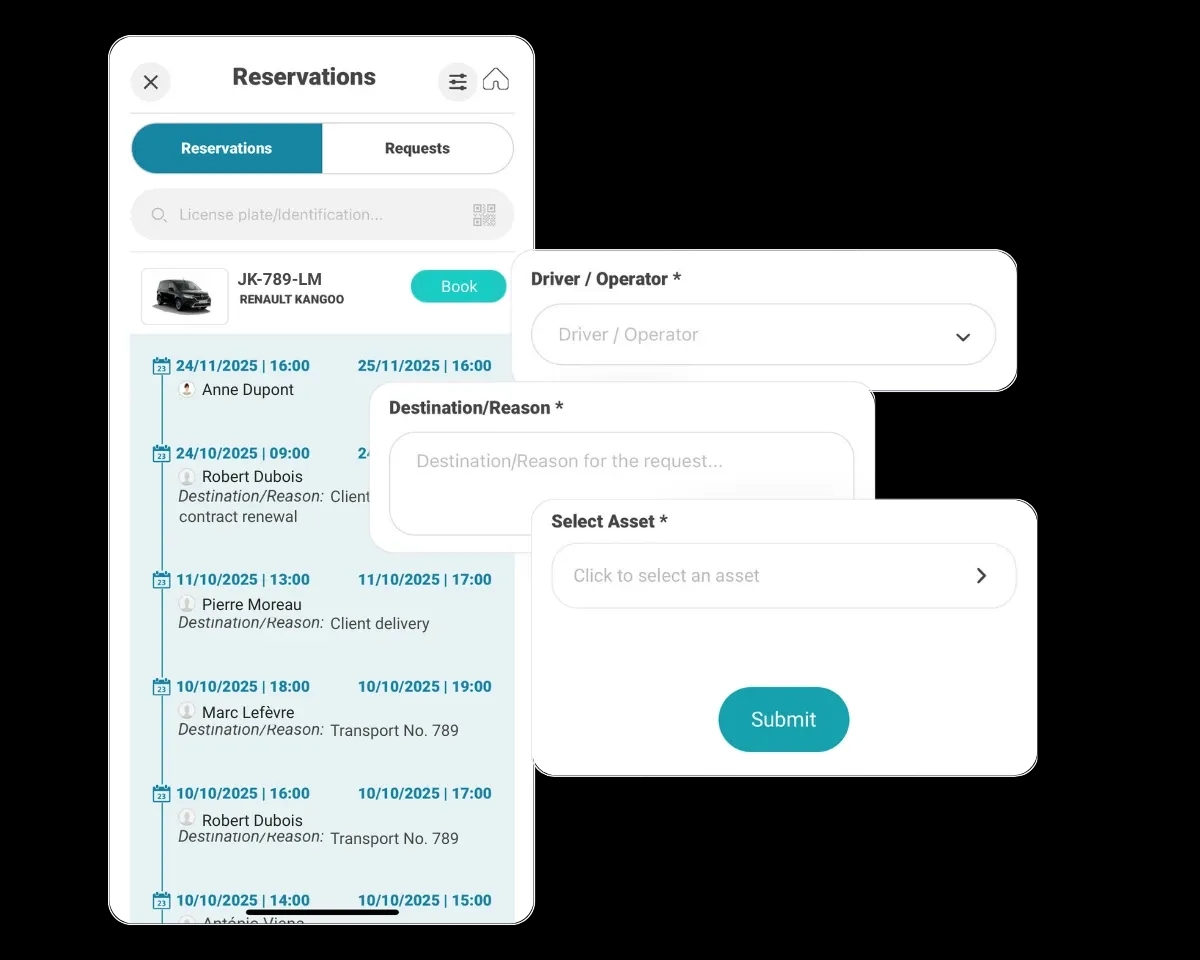
The employee accesses the App or Web version and submits the booking request for the desired dates.
Manager validation
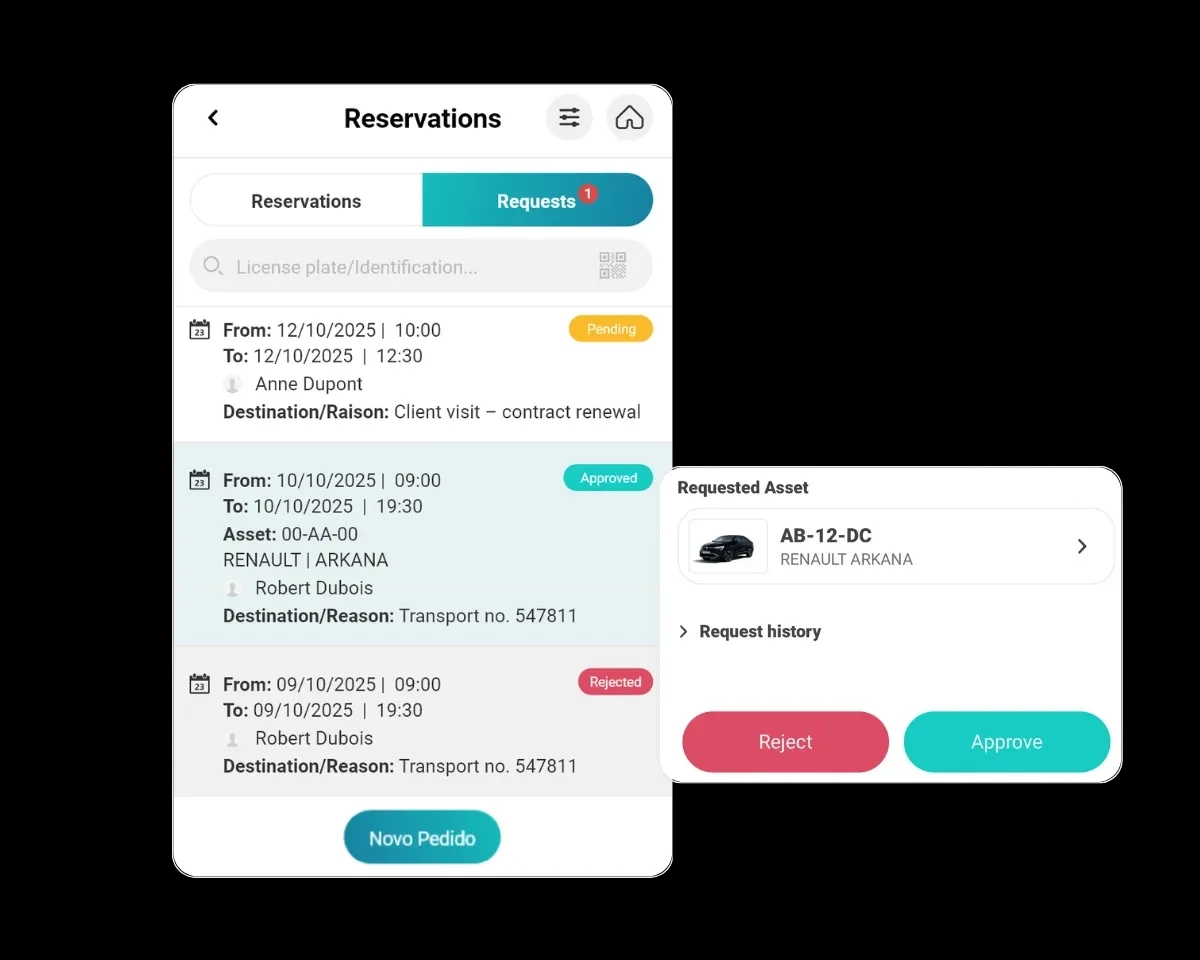
The fleet manager receives the request, validates or rejects it, and assigns the most suitable vehicle to the employee.
Automatic notification
The employee is alerted of the approval and receives all details of the assigned vehicle.
How to give your team autonomy without losing control?
Autonomy via App and Web
Allow employees to make vehicle and shared asset booking requests in seconds through smartphone or computer, without the need for intermediaries.
- Access via iOS and Android App
- Access via Web portal
- Booking approval alerts
Conflict and unavailability prevention
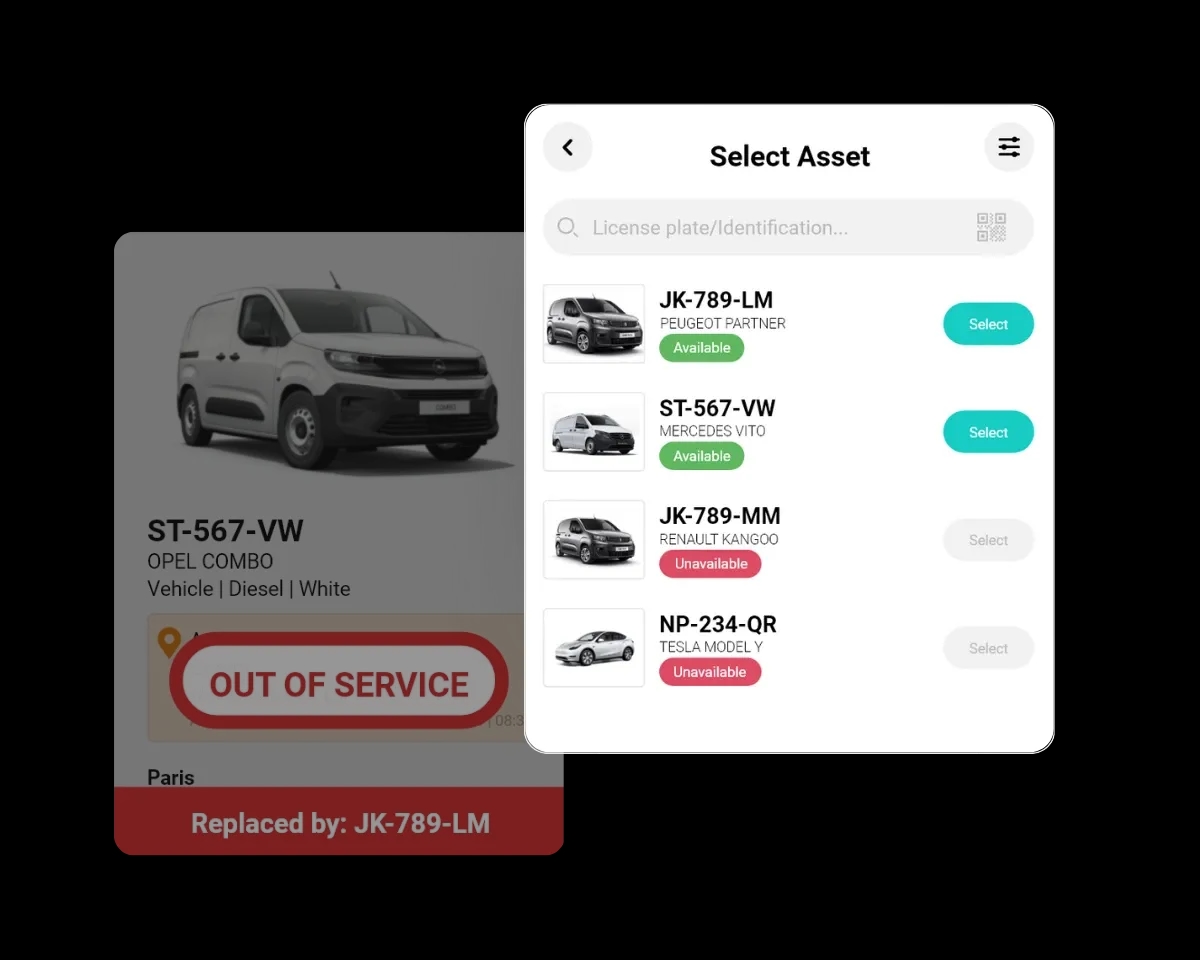
The system automatically prevents duplicate scheduling (overlaps) and allows immobilization of broken down vehicles, ensuring the team only books operational assets.
- Automatic overlap blocking
- Immobilization of broken down vehicles
- Visibility of each vehicle status
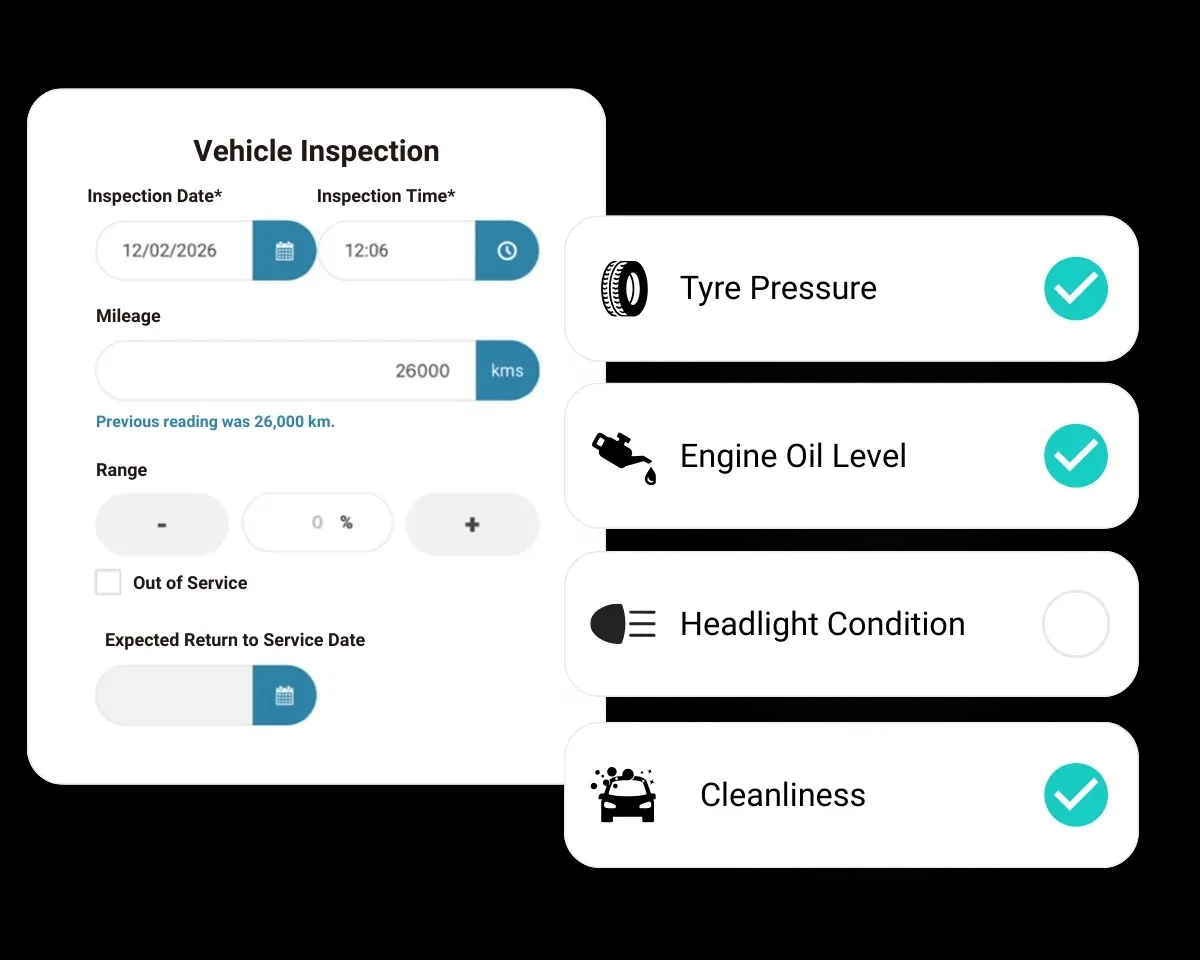
Digital check-up and accountability
Ensure vehicles are delivered in good condition to the next colleague. The App allows a quick check-up before the trip, recording damage and generating automatic alerts for interventions to be performed.
- Vehicle condition verification
- Photographic record of damage
- Automatic intervention alerts
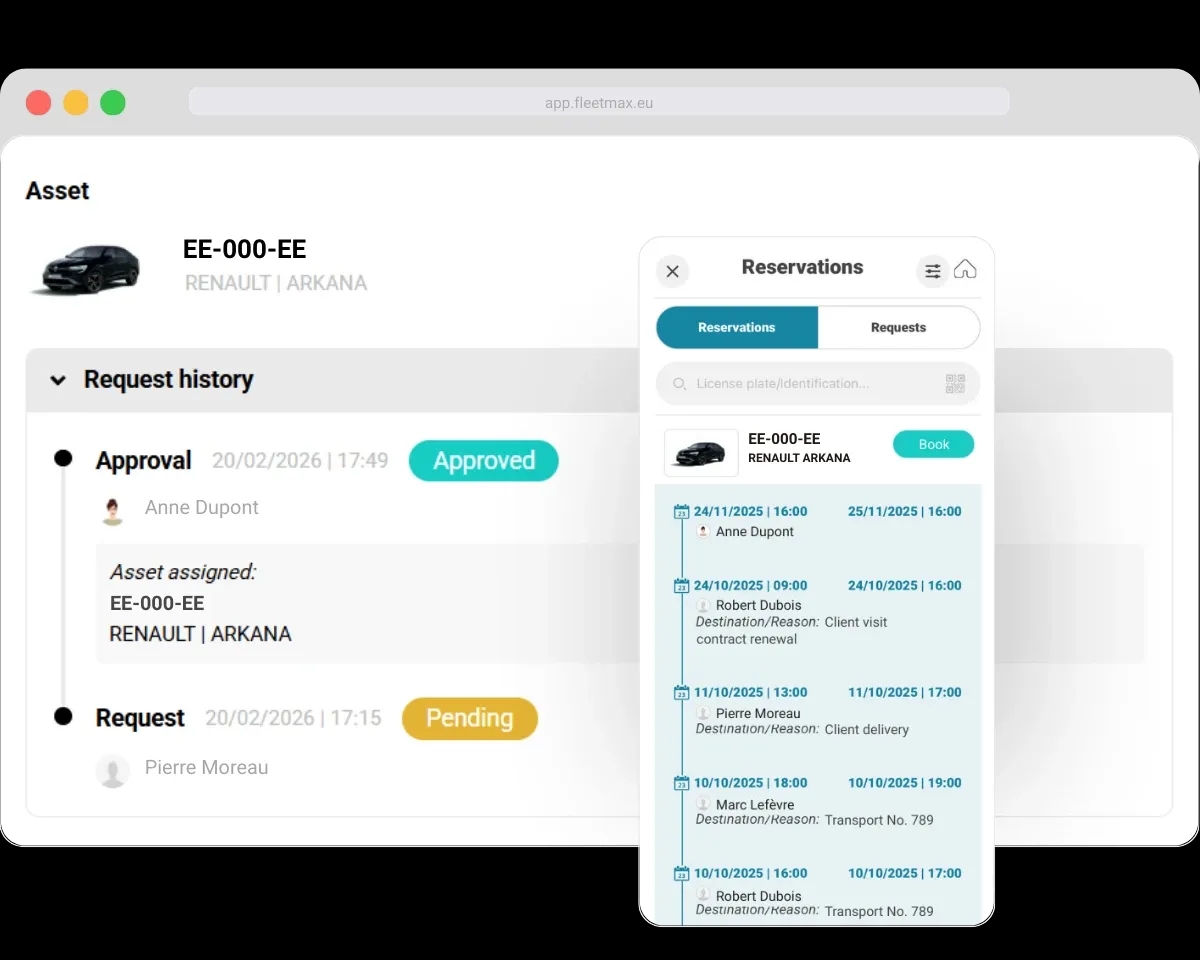
Usage history
Always know "who drove what and when". Maintain a complete digital record of all past uses, with total traceability and transparency.
- Complete history per vehicle
- Route history
- Booking modification history
Why digitalise your fleet vehicle bookings?
An organized booking system eliminates conflicts, reduces downtime and gives teams autonomy.
Zero Conflicts
Each vehicle has a clear calendar. Everyone knows what is available and when.
Greater Fleet Utilization
Distribute demand evenly and get more out of the assets you have.
Team Autonomy
Employees request, managers approve with one click. Fewer calls, fewer emails.
Total Traceability
Know who used each vehicle, when and for what. History always accessible.
FAQ
Frequently asked questions about shared vehicle booking.
Is there a booking approval workflow? Who approves and how are they notified?
Yes, there is an approval workflow. The fleet manager receives each booking request and can approve or decline it, assigning the most suitable asset. Both the manager and the employee are notified of the booking status, and you can use the user profiles to decide who is allowed to approve bookings.
Alternatively, FleetMax can run without an approval workflow, letting drivers book assets directly with no prior validation. You choose the model that best suits your organisation, and the FleetMax team helps configure the account accordingly.
Does the system automatically prevent duplicate or overlapping bookings?
Yes. FleetMax automatically blocks overlaps, preventing the same asset from being booked by more than one person for the same period. As soon as a vehicle or machine is booked for given dates it stops showing as available for that range, removing conflicts and making sure two employees are not counting on the same asset at the same time.
How do I stop a vehicle in for maintenance or broken down from being booked?
Mark the vehicle as immobilised in FleetMax, whether because of a breakdown, maintenance or any other reason. While it is in that state the asset is automatically unavailable for booking, so employees can only book operational vehicles.
That prevents anyone counting on a vehicle that is not actually available, and you can also nominate a replacement vehicle for the immobilisation period so operations carry on.
Can I see vehicle availability by date and pick the most suitable one?
Yes. In FleetMax you can filter by date and quickly see which assets are free for the period you need, choosing the one that best fits each requirement. Because vehicles already booked or immobilised do not show as available, you can always be sure you are booking an asset that is genuinely free for those dates.
Can I set usage rules (who can book what)?
Yes. Through the user profiles you control who has access to the booking system and which assets each employee can see and book. You could, for example, limit a user to booking only certain vehicles.
For more specific rules, the FleetMax team can help assess and configure solutions tailored to your organisation.
What is the digital vehicle pick-up check?
The check is built into the journey log in the FleetMax mobile app. When picking up the vehicle and starting the journey, the driver can record notes on the condition they find it in — dirt, a fault, a fresh scratch or the engine warning light.
That means the vehicle's condition at pick-up is always on record, which helps hold drivers accountable for damage caused during use and keeps a clear picture of each asset's condition over time.
If you want a more structured check, the FleetMax team can set up custom fields, creating a checklist covering the points your company always wants verified.
Put an end to booking conflicts.
Discover how FleetMax can simplify shared vehicle booking management in your company.